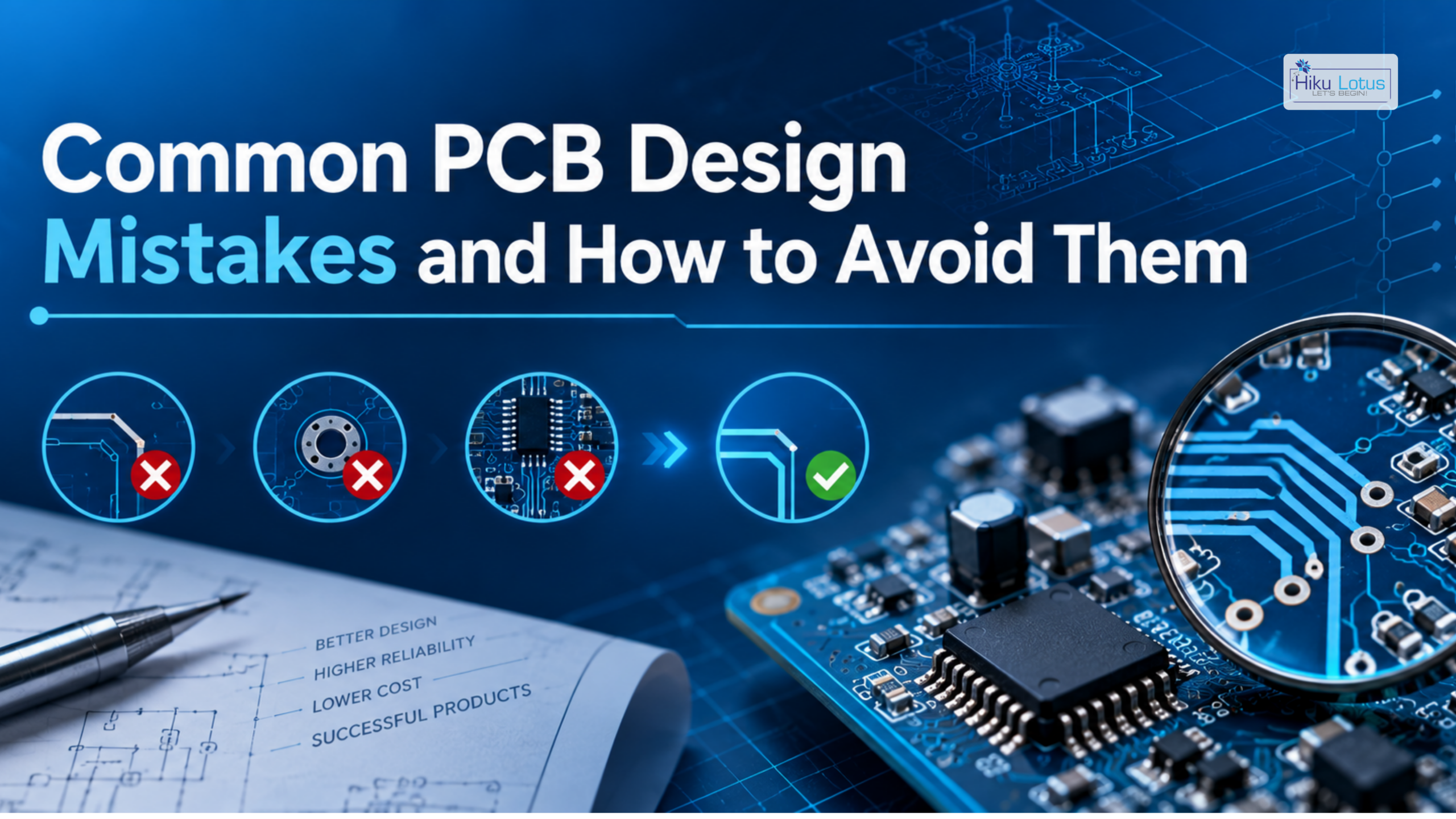
A well-designed Printed Circuit Board (PCB) is the foundation of a reliable electronic product. However, even small mistakes during schematic design, component placement, routing, or manufacturing preparation can lead to signal integrity problems, EMI issues, thermal failures, production defects, and unexpected system behavior.
Whether you are developing an industrial controller, IoT device, embedded system, consumer product, or high-speed electronic system, identifying PCB design mistakes early can save significant time and development costs.
In this blog, we explore the most common PCB design mistakes, their potential impact, and practical ways to avoid them.
Why Good PCB Design Matters
PCB design directly affects the electrical, mechanical, thermal, and manufacturing performance of an electronic product.
A well-designed PCB should provide:
- Reliable electrical performance
- Stable power distribution
- Good signal integrity
- Effective thermal management
- Reduced EMI and noise
- Mechanical reliability
- Easy manufacturing
- Efficient testing and maintenance
A mistake that appears minor during the design stage can become expensive to correct after PCB fabrication and assembly.
1. Poor Component Placement
Component placement is one of the first areas where PCB design problems can begin.
Placing components without considering signal flow, heat generation, or functional grouping can make routing difficult and negatively affect performance.
Common Problems
- Long signal paths
- Difficult routing
- Increased noise
- Poor thermal distribution
- Crowded components
- Difficult assembly and testing
How to Avoid It
Before routing, organize components according to their function.
For example:
- Keep decoupling capacitors close to IC power pins.
- Place connectors near the appropriate interfaces.
- Keep high-power components away from sensitive circuits.
- Group analog and digital components appropriately.
- Consider airflow and heat dissipation.
Good placement makes the rest of the PCB design process much easier.
2. Inadequate Grounding
Grounding is one of the most important aspects of PCB design.
Poor ground design can result in:
- Electrical noise
- Ground loops
- EMI problems
- Signal integrity issues
- Unstable analog measurements
How to Avoid It
Use a properly designed ground plane wherever appropriate.
For high-performance designs:
- Provide low-impedance return paths.
- Keep signal return paths short.
- Avoid unnecessary gaps in reference planes.
- Use ground stitching vias where required.
- Consider current flow when routing critical signals.
A good ground strategy is essential for reliable PCB performance.
3. Incorrect Power Distribution
Power traces that are too narrow or poorly routed can cause voltage drops, excessive heating, and unstable operation.
Common Problems
- Insufficient trace width
- Long power paths
- Poor decoupling
- Inadequate copper area
- Shared noisy power paths
How to Avoid It
Select trace widths according to current requirements and temperature rise.
Also consider:
- Power planes
- Multiple vias
- Decoupling capacitors
- Short power paths
- Separate power domains where necessary
Power integrity should be considered from the beginning of the PCB design.
4. Placing Decoupling Capacitors Too Far from ICs
Decoupling capacitors help provide stable local power to integrated circuits.
A common mistake is placing the capacitor somewhere on the PCB rather than close to the IC power pins.
Long connections reduce the effectiveness of the decoupling network.
How to Avoid It
Place appropriate decoupling capacitors as close as practical to the relevant IC power pins, with short connections to the power and ground paths.
5. Poor High-Speed Signal Routing
As signal speeds increase, PCB traces can behave as transmission lines.
Poor routing can result in:
- Reflections
- Crosstalk
- Timing problems
- Signal distortion
- Data communication failures
How to Avoid It
For high-speed signals:
- Maintain controlled impedance where required.
- Keep critical traces short.
- Minimize unnecessary vias.
- Maintain an appropriate reference plane.
- Route differential pairs correctly.
- Follow manufacturer stack-up recommendations.
High-speed PCB design requires careful attention to both routing and material selection.
6. Ignoring EMI and EMC Requirements
Electromagnetic interference can cause unexpected behavior and compliance problems.
Sources of EMI may include:
- Switching regulators
- High-speed clocks
- Motors
- Relays
- Power converters
- High-current switching circuits
How to Avoid It
Reduce EMI by:
- Minimizing current loop areas
- Keeping noisy signals away from sensitive circuits
- Using proper grounding
- Adding filtering where required
- Using shielding where appropriate
- Providing suitable ground stitching
EMI considerations should be incorporated during PCB layout rather than addressed only after testing.
7. Using Incorrect Trace Width
Trace width must be selected according to electrical and manufacturing requirements.
An undersized power trace can overheat, while unnecessarily large traces may consume valuable PCB space.
How to Avoid It
Consider:
- Current
- Copper thickness
- Allowable temperature rise
- PCB manufacturer capabilities
- Signal requirements
Use appropriate PCB design calculations and manufacturer guidelines when determining trace widths.
8. Poor Thermal Management
Heat-generating components can significantly affect PCB reliability.
Common heat sources include:
- Voltage regulators
- MOSFETs
- Power amplifiers
- Motor drivers
- Power converters
- High-current components
How to Avoid It
Use:
- Larger copper areas
- Thermal vias
- Appropriate component spacing
- Heat sinks where necessary
- Metal-core PCB technology when appropriate
Thermal management should be evaluated during PCB design rather than after the prototype is built.
9. Incorrect Via Usage
Vias provide electrical connections between PCB layers, but excessive or poorly positioned vias can create problems.
Potential issues include:
- Increased manufacturing complexity
- Signal discontinuities
- Reduced reliability
- Higher production costs
How to Avoid It
Use vias strategically and select the appropriate via technology for the application.
For high-speed signals, minimize unnecessary layer transitions and consider the effect of vias on signal integrity.
10. Incorrect Component Footprints
An incorrect PCB footprint can make a perfectly designed schematic unusable.
Common footprint problems include:
- Incorrect dimensions
- Wrong pin spacing
- Incorrect pad size
- Incorrect orientation
- Missing thermal pads
- Incorrect land pattern
How to Avoid It
Always verify critical footprints against the component manufacturer’s datasheet and recommended land pattern.
For important components, perform a physical or 3D verification before manufacturing.
11. Ignoring Design for Manufacturability (DFM)
A PCB can work perfectly in theory but still be difficult or expensive to manufacture.
Common DFM mistakes include:
- Insufficient component spacing
- Very small manufacturing features
- Difficult-to-assemble components
- Poor panelization
- Incorrect solder mask clearances
How to Avoid It
Follow the capabilities and design rules of your PCB manufacturer and assembly partner.
A DFM review before manufacturing can identify many production-related problems.
12. Ignoring Design for Testability (DFT)
A product that cannot be tested efficiently can become difficult to manufacture and maintain.
How to Avoid It
Include:
- Test points
- Programming interfaces
- Debug connectors
- Accessible measurement points
- Diagnostic features
Designing for testability can simplify production testing and troubleshooting.
13. Mixing Sensitive and Noisy Circuits
Sensitive analog or communication circuits can be affected by nearby switching and high-current circuits.
How to Avoid It
Separate functional areas such as:
- Analog circuits
- Digital circuits
- RF circuits
- Power circuits
- High-current switching circuits
Use appropriate grounding, routing, and physical separation strategies.
14. Not Considering the Complete PCB Stack-Up
The PCB stack-up affects:
- Impedance
- Signal integrity
- Power integrity
- EMI
- Mechanical thickness
- Manufacturing
Using an unsuitable layer arrangement can make high-speed routing significantly more difficult.
How to Avoid It
Define the PCB stack-up early, especially for:
- Multilayer PCBs
- High-speed designs
- RF circuits
- Controlled-impedance interfaces
- High-density boards
Coordinate with the PCB manufacturer before finalizing the layout.
15. Skipping Design Rule Checks
Design Rule Checks (DRC) help identify PCB layout violations before manufacturing.
Skipping DRC can result in:
- Clearance violations
- Unconnected nets
- Incorrect spacing
- Manufacturing problems
- Electrical failures
How to Avoid It
Run comprehensive DRC and electrical checks before releasing the PCB for manufacturing.
16. Not Performing 3D Mechanical Verification
A PCB may be electrically correct but mechanically incompatible with the enclosure.
Potential issues include:
- Component height conflicts
- Connector misalignment
- Mounting-hole problems
- Enclosure interference
- Heat sink conflicts
How to Avoid It
Use 3D PCB visualization and mechanical verification to check the complete assembly before fabrication.
17. Choosing Components Without Considering Availability
A component may meet the technical requirements but still create production problems if it is difficult to source.
How to Avoid It
During component selection, evaluate:
- Availability
- Lifecycle status
- Lead time
- Cost
- Approved alternatives
- Manufacturer reliability
Good component planning helps reduce supply-chain risks during production.
18. Designing Only for the Prototype
One of the most common mistakes is creating a PCB that works for a small prototype but is difficult to manufacture at scale.
How to Avoid It
Consider production requirements from the beginning:
Prototype → Validation → Optimization → DFM/DFT → Pilot Production → Mass Production
A production-ready PCB should be designed with assembly, testing, cost, and scalability in mind.
How to Avoid PCB Design Problems
A reliable PCB development process should include:
1. Start with Clear Requirements
Define electrical, mechanical, thermal, environmental, and manufacturing requirements before starting the layout.
2. Plan the Architecture
Determine the PCB stack-up, power domains, interfaces, and functional blocks early.
3. Place Components Carefully
Think about signal flow, thermal behavior, noise, and assembly before routing.
4. Route Critical Signals First
Identify high-speed, sensitive, and high-current nets before completing general routing.
5. Perform Design Reviews
Review the schematic, PCB layout, component footprints, and mechanical integration before fabrication.
6. Run DRC and ERC
Use automated checks to identify errors that may otherwise be overlooked.
7. Validate with Prototypes
Test the first PCB thoroughly before moving to larger production volumes.
8. Perform DFM and DFT Reviews
Ensure the final design can be manufactured and tested efficiently.
Why Choose Hiku Lotus for PCB Design?
At Hiku Lotus, we understand that reliable PCB design requires more than simply connecting components. Our engineers consider electrical performance, signal integrity, thermal management, manufacturability, testing, and product requirements throughout the design process.
Our PCB and electronics engineering capabilities include:
- Custom PCB Design
- Schematic Design
- Multilayer PCB Layout
- High-Speed PCB Design
- Embedded Hardware Design
- Industrial Electronics Design
- IoT Hardware Development
- Power Electronics Design
- Component Selection
- PCB Design Optimization
- DFM & DFT Review
- Prototype Development
- Hardware Testing
- Electronics Product Development
Whether you are starting a new PCB from scratch, improving an existing design, or preparing a prototype for production, Hiku Lotus can help identify potential design issues and develop a reliable, manufacturing-ready solution.
Conclusion
PCB design mistakes can have a major impact on the performance, reliability, cost, and manufacturability of an electronic product. Problems such as poor grounding, incorrect component placement, inadequate power distribution, poor thermal management, high-speed routing errors, and incorrect footprints can often be prevented with proper planning and design reviews.
The key is to consider electrical, thermal, mechanical, manufacturing, and testing requirements together rather than treating PCB layout as an isolated task.
A systematic PCB design process, combined with thorough verification and prototyping, can significantly reduce development risks and help create reliable electronic products.
Talk to Hiku Lotus About Your PCB Design Project
Have a PCB design challenge, an existing board that needs improvement, or a new electronics product to develop? Hiku Lotus provides complete PCB design and electronics engineering support, from schematic development and component selection to PCB layout, prototyping, testing, and production support. Get in touch with our team to discuss your requirements and build a reliable PCB solution.
Frequently Asked Questions (FAQs)
What are the most common PCB design mistakes?
Common mistakes include poor component placement, inadequate grounding, incorrect trace widths, poor power distribution, improper high-speed routing, inadequate thermal management, incorrect footprints, and insufficient DFM/DFT considerations.
How can PCB design mistakes be avoided?
PCB design mistakes can be reduced through proper requirements planning, component placement, grounding, signal routing, design reviews, ERC/DRC checks, 3D verification, prototyping, and DFM/DFT reviews.
Why is grounding important in PCB design?
Proper grounding provides reliable return paths for current and can help reduce electrical noise, EMI, and signal integrity problems.
What is DFM in PCB design?
DFM stands for Design for Manufacturability. It involves designing the PCB so it can be manufactured and assembled reliably, efficiently, and cost-effectively.
Why are decoupling capacitors important?
Decoupling capacitors help provide stable local power to integrated circuits and reduce unwanted high-frequency noise on power supply lines.
Why is PCB thermal management important?
Excessive heat can reduce component reliability and product lifespan. Proper copper areas, thermal vias, component placement, and heat dissipation methods help manage PCB temperature.
Does Hiku Lotus provide PCB design services?
Yes. Hiku Lotus provides custom PCB design, multilayer PCB layout, high-speed PCB design, embedded hardware development, prototyping, testing, DFM/DFT review, and complete electronics product development support.